Find the biggest problems in your app
To create a winning app, you need to find and fix the biggest problems in your app. Ipiphany can help you do this by analyzing your app reviews and feedback to identify the features that are causing the most problems for your users, and the specific problems that are being mentioned for those features.
Step 1 - Find which features contain the most problems
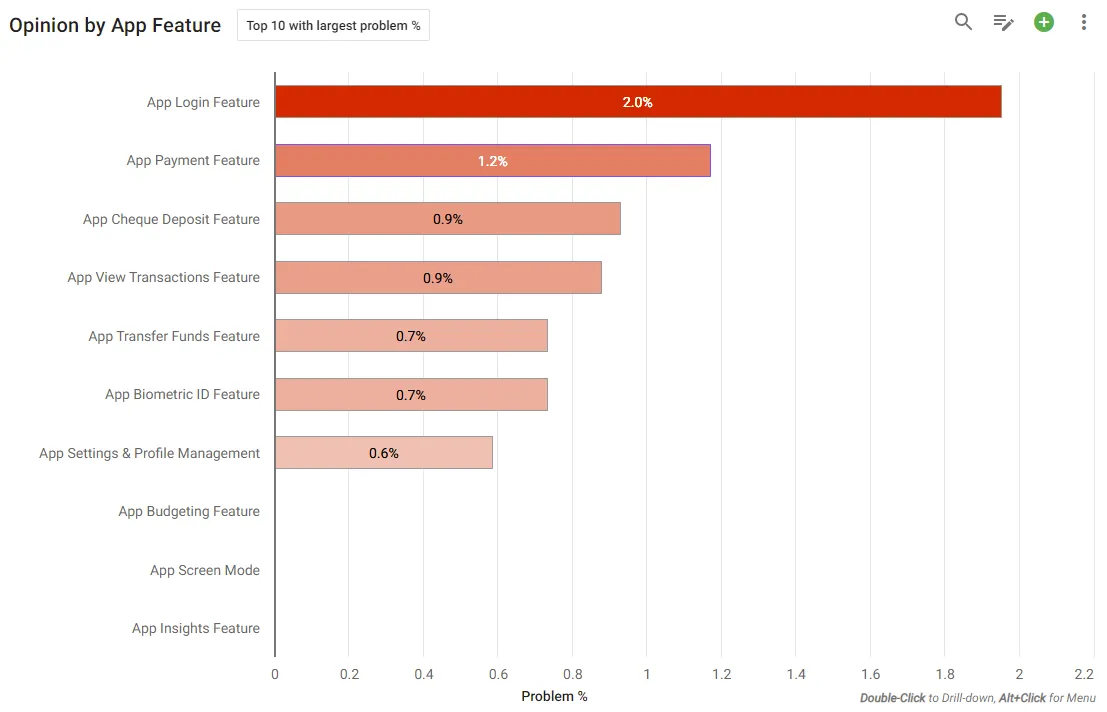
Open your app review dataset and in Key Drivers, select:
- Chart Type = Bar Chart
- Improvement Target = Opinion -> Problem %
- Filter = your bank
- Report Period = the period you are interested in
- Report By = Concept -> App Feature
You will see a chart of the features with the most problems.
Why shouldn’t I rank by review score? Click here to understand why Ipiphany’s ‘Opinion’ metrics are vastly superior to review scores.
Step 2: Investigate each feature to discover its specific problems
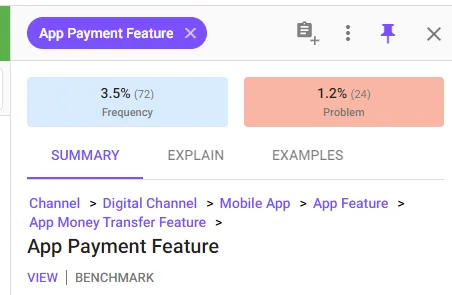
Click a feature in the chart to display more details about that feature in a pop-out on the right (referred to as the ‘Preview Panel’).
Is everyone having a problem with this feature?
Use the ‘Problem/Benefit Segment Bar’ to see how often problems and benefits are mentioned for this feature. If problems (red) are mentioned much more than benefits (green) then it is likely this feature needs close attention.

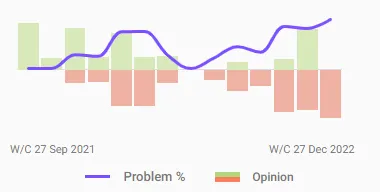
Are problems increasing or decreasing for this feature?
Use the trend chart to see how the feature is tracking.
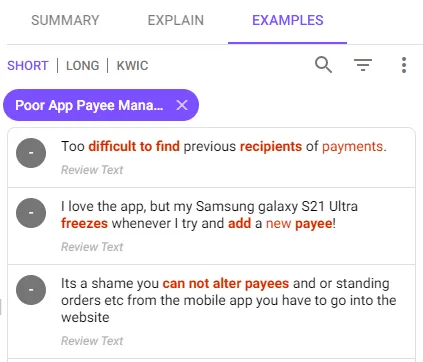
What are the specific problems with this feature?
Use the Problems section within ‘SUB-CONCEPTS’ to see the feature’s specific problems.
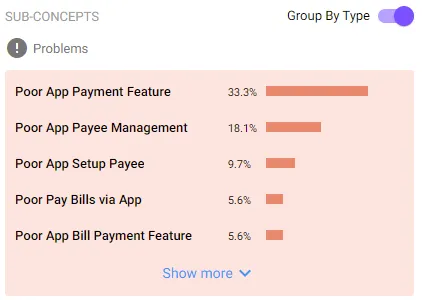
Click on a problem to read reviews that mention it.