Report By Control
The Report By control is located at the top left of the Report Screen. It is unique among the controls as its icon changes depending on the dimension that is selected.
What is a dimension?
A Dimension in Ipiphany is the method of classification that you are choosing to group records by. For example, if you choose a dimension of ‘Country’ then Ipiphany will return records grouped by the names of countries.
Selecting a dimension
- Click on the Report By control
- Choose from the list
- Select the specific option if required
- The Report By control will close and your selection will be applied
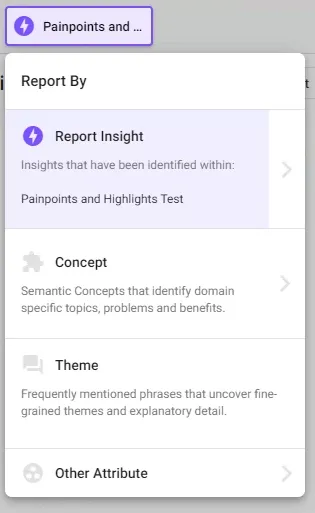
Selected Dimension
What the control looks like
Analysis Insight

Concept

Theme

Another Attribute